
Rack Cards
Rack Cards are a powerful and effective marketing tool designed for high-traffic locations such as tourist centers, hotel lobbies, convenience stores, and expos. Compact and eye-catching, they deliver a quick, impactful pitch for your products, services, or events, perfect for customers on the go and available in two popular sizes.
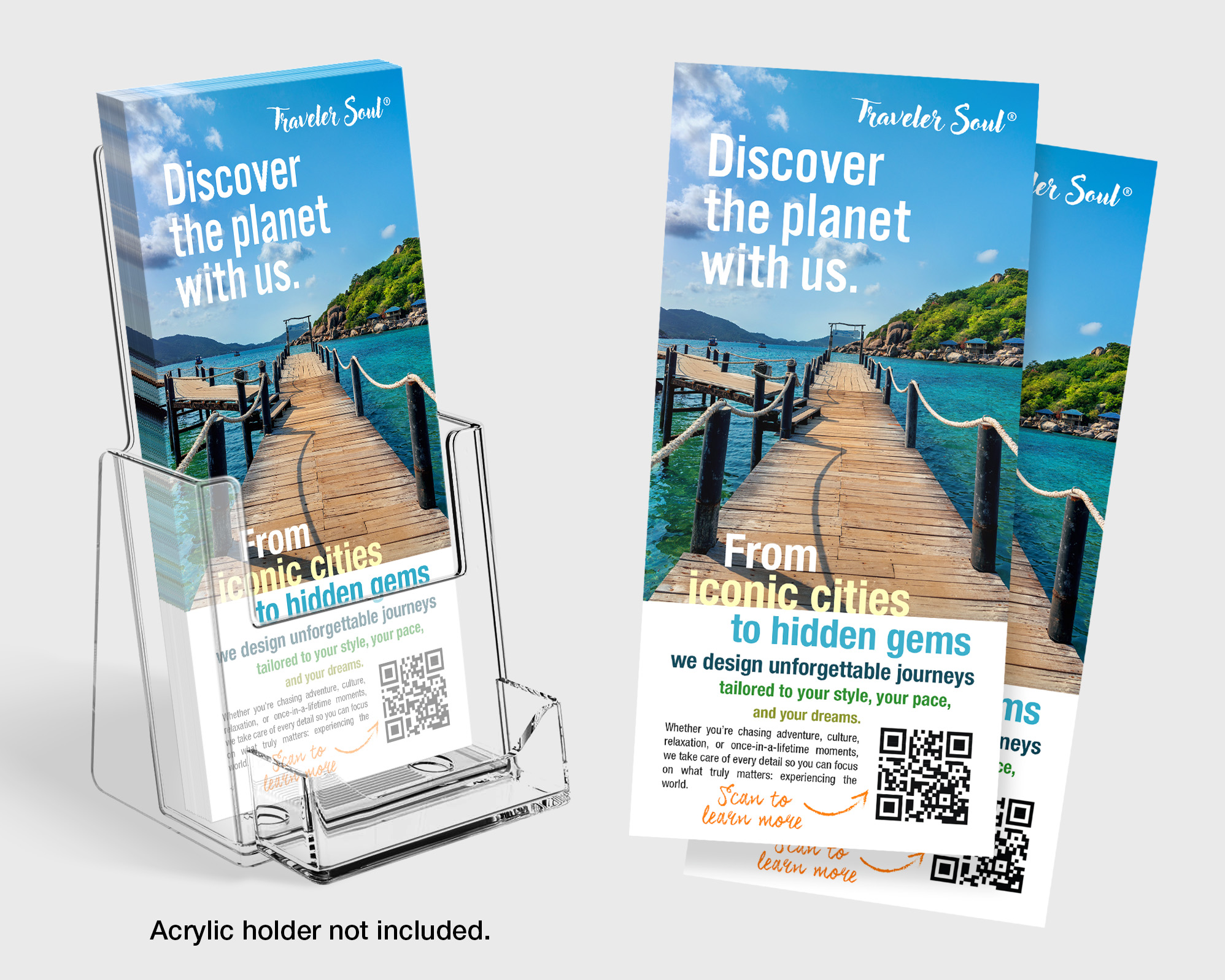
Printed on premium-quality cardstock and available with a variety of coating options, they offer a professional look that helps your message stand out and drive results.
Rack Cards are a powerful and effective marketing tool designed for high-traffic locations such as tourist centers, hotel lobbies, convenience stores, and expos. Compact and eye-catching, they deliver a quick, impactful pitch for your products, services, or events, perfect for customers on the go and available in two popular sizes.
Printed on premium-quality cardstock and available with a variety of coating options, they offer a professional look that helps your message stand out and drive results.
Commonly used in the travel and tourism industry, our Custom Rack Cards are printed on premium quality cardstock and can be used to promote anything from travel packages, to products & services, limited time offers and more.
Popular Uses & Ideas
- Restaurant / Spa Menus
- Hotel Maps / Info Cards
- Product / Service Promotions
- Location Maps
- Reservation Forms
- Informational Flyers (Amusement Parks, Museums, etc.)
- Health Services Information (Doctors Offices, Community Healthcare Offices, etc.)
Design Templates
Design your rack cards right the first time by using a template. Our templates are setup accurately assuring your print job is produced properly. To download, click the download template button below:
Download Template
Ordering & Artwork Setup Guide
Step 1. Choose Product
- If you can not find the product you are looking for submit a custom quote here
Step 2. Select Product Options
- Size
- Color
- Turnaround Time
- Coating
- Etc.
Step 3. Add Product to Shopping Cart
- You will see an instant price for all listed products
- Click the Add To Cart Button
Step 4. Review Shopping Cart
- Name Your Job
- Select Shipping Method
- Add Any Special Instructions
- Once Satisfied Click The Checkout Button or Continue Shopping
Step 5. Payment Page
- Select Billing Address
- Select Payment Method
- Review and Accept Terms/Conditions
- Click Complete Button
Step 6. Upload Files
- Upload Now
- Upload Later
- My Designer Will Upload
- Files Are At A 3rd Party Download Source (i.e. ftp, dropbox, sendspace)