
Hot Foil

Hot foil elevates your cards with an ultra-refined look and feel that communicates sophistication, quality, and professionalism. This luxury finish is precision hot-stamped on premium 14pt uncoated or 16pt silk-laminated stock and is available for:
-Business Cards
-Postcards
-Trading Cards
-Hang Tags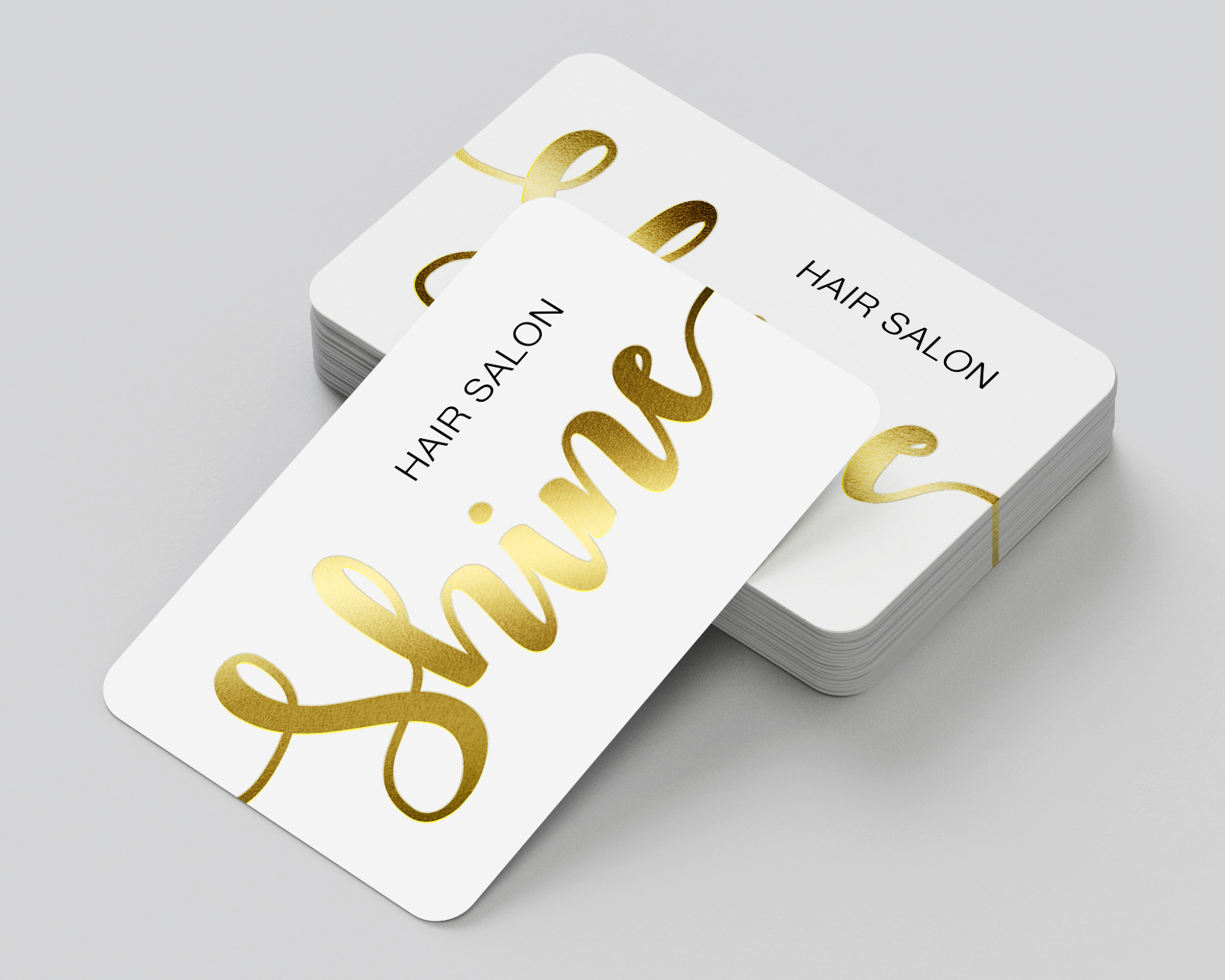
Choose from seven stunning foil color options to unlock endless design possibilities for brands across a wide range of industries.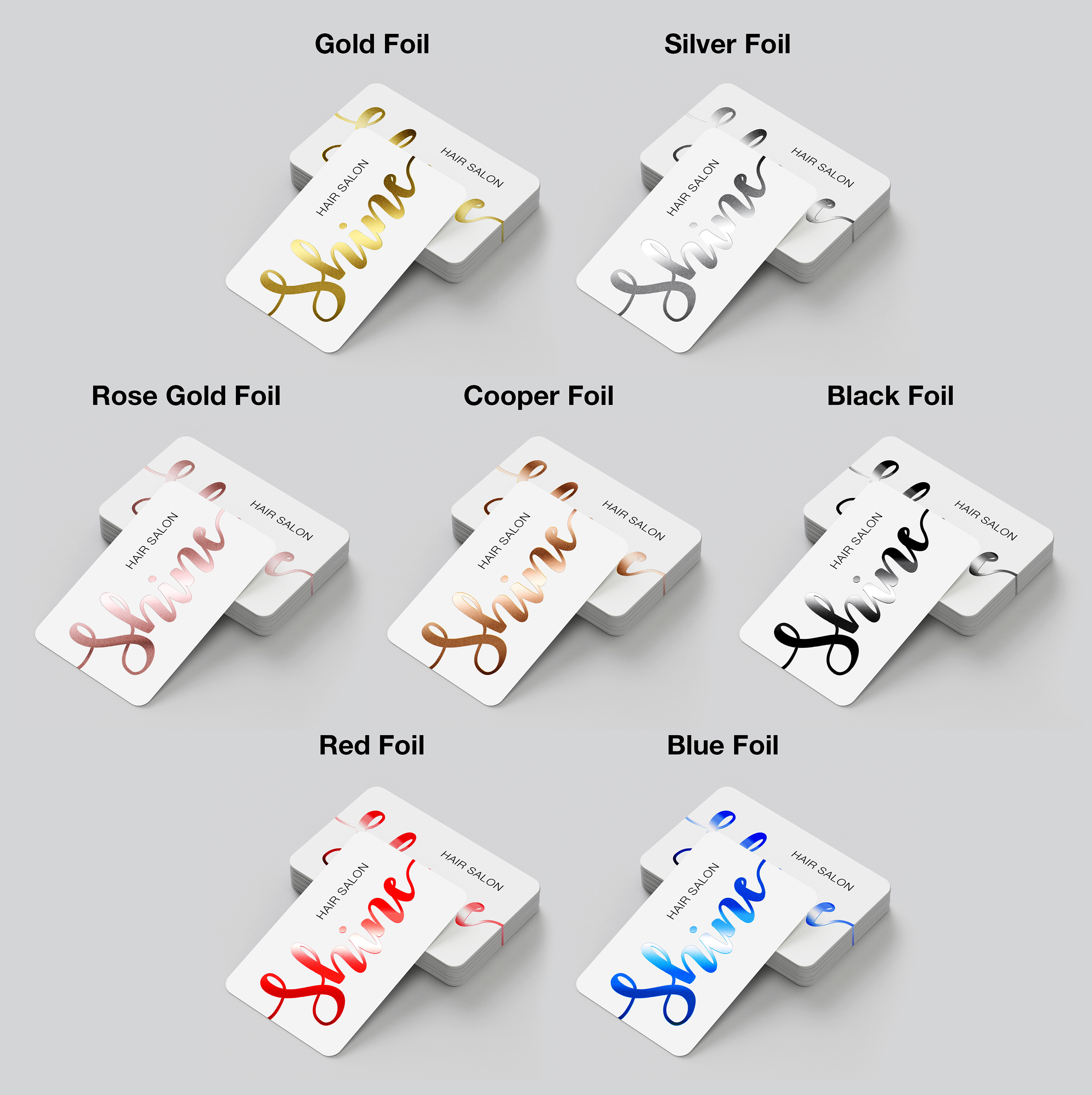
Please note: When printing on both sides, the same foil color must be used on the front and back of the product.
Hot foil elevates your cards with an ultra-refined look and feel that communicates sophistication, quality, and professionalism. This luxury finish is precision hot-stamped on premium 14pt uncoated or 16pt silk-laminated stock and is available for:
-Business Cards
-Postcards
-Trading Cards
-Hang Tags
Choose from seven stunning foil color options to unlock endless design possibilities for brands across a wide range of industries.
Please note: When printing on both sides, the same foil color must be used on the front and back of the product.
Hot Foil cards lets you choose from gold, silver, or copper foil accents on 14pt Uncoated or 16pt Silk Laminated Business Cards for an ultra-refined custom finish that adds sophistication and class to any business or brand. Ideal for luxury brands, concierge services and more.
*Note that the same color foil must be used for the front and back of your product.
Popular Uses:
- Business Cards
- Post Cards
- Invitation Cards
- Wedding/Baby Shower Invites
- Holiday Cards
Design Templates
Design your hot foil right the first time by using a template. Our templates are setup accurately assuring your print job is produced properly. To download, click the download template button below:
Download Template
Ordering & Artwork Setup Guide
Step 1. Choose Product
- If you can not find the product you are looking for submit a custom quote here
Step 2. Select Product Options
- Size
- Color
- Turnaround Time
- Coating
- Etc.
Step 3. Add Product to Shopping Cart
- You will see an instant price for all listed products
- Click the Add To Cart Button
Step 4. Review Shopping Cart
- Name Your Job
- Select Shipping Method
- Add Any Special Instructions
- Once Satisfied Click The Checkout Button or Continue Shopping
Step 5. Payment Page
- Select Billing Address
- Select Payment Method
- Review and Accept Terms/Conditions
- Click Complete Button
Step 6. Upload Files
- Upload Now
- Upload Later
- My Designer Will Upload
- Files Are At A 3rd Party Download Source (i.e. ftp, dropbox, sendspace)